Medical Report Generator
Report Generator Console Documentation
This console application serves as the foundational step towards the development of a comprehensive web application for compiling medical reports. It operates without a visual interface and incorporates an initial Store Engine.
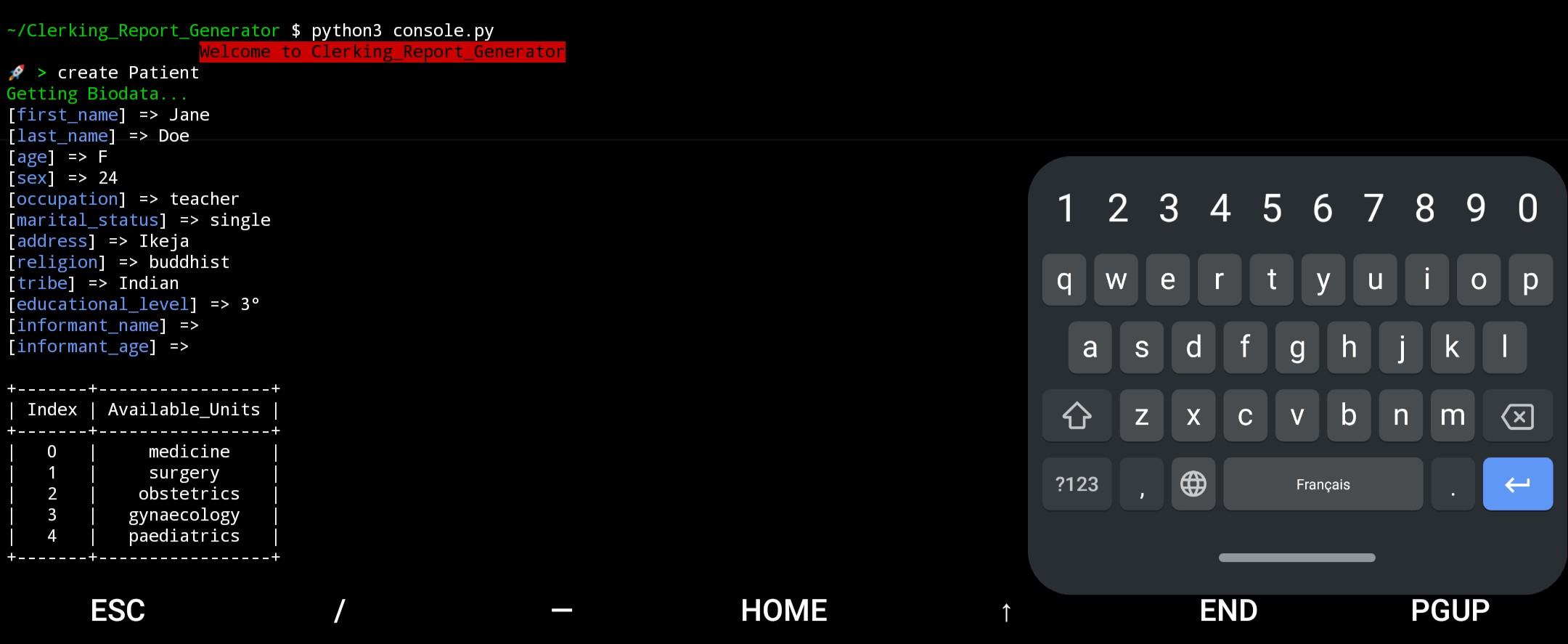
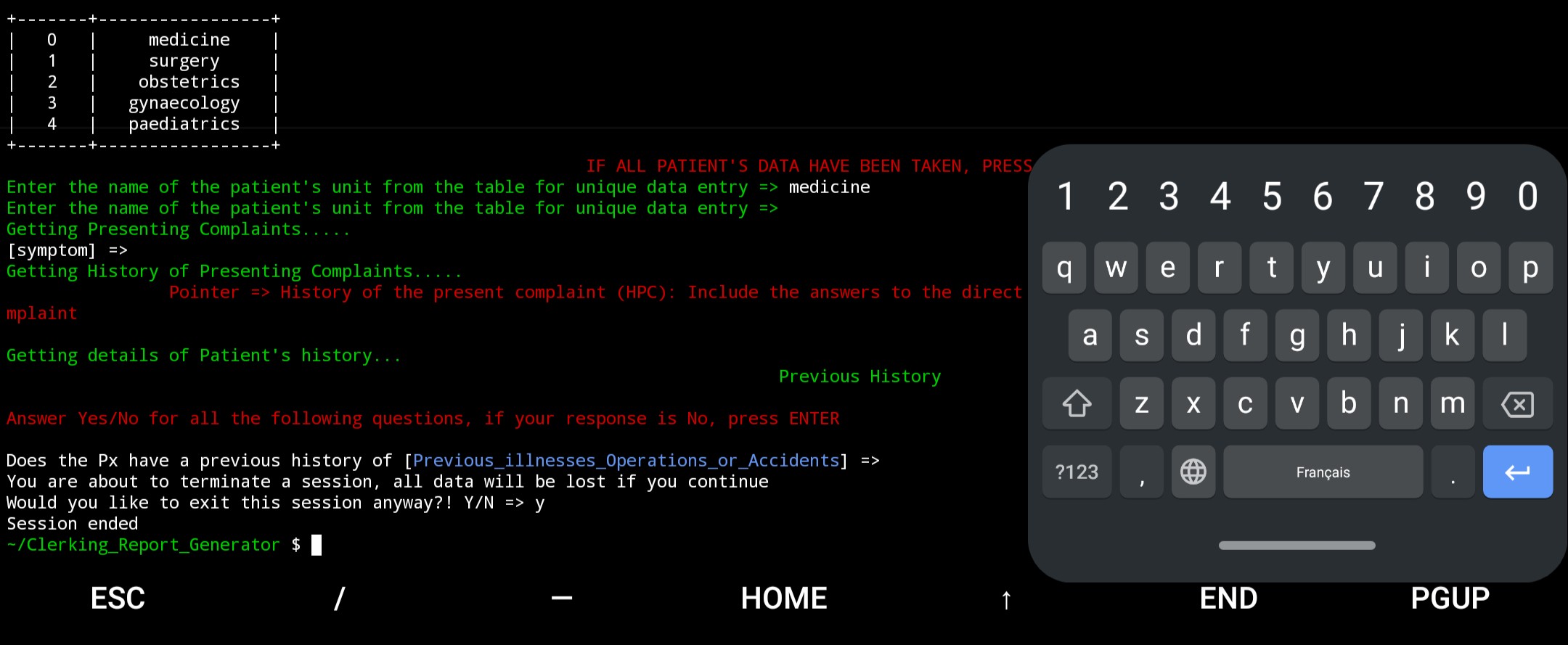
Table of Contents
Getting Started
Installation
To use the Report_Generator, you need to have Python 3 installed on your system. Follow these steps to set up the environment:
-
Clone the HBNB repository:
git clone https://github.com/Nadira3/Report_Generator.git cd Report_Generator -
Install the following modules
pip install termcolor pip install prettytable pip install colorama -
Place the provided
console.pyfile into the root directory of the project.
Launching the Console
-
Open a terminal window.
-
Navigate to the directory where the
console.pyfile is located. -
Run the following command to start the Report_Generator:
python3 console.pyThis will launch the Report_Generator, and you'll see the prompt indicating that the console is ready to accept commands.
Available Commands
Creating Instances
-
create <classname>: Create a new instance of the specified class and generate a unique ID for it. Example:=> create Patient 05706e96-7951-431d-a5ce-2603b9bae47d
Displaying Instances
-
show <classname> <instance_id>: Display detailed information about a specific instance based on the class name and instance ID. Example:=> show Patient 05706e96-7951-431d-a5ce-2603b9bae47d [Patient] (05706e96-7951-431d-a5ce-2603b9bae47d) {'id': '05706e96-7951-431d-a5ce-2603b9bae47d', 'created_at': datetime.datetime(2023, 8, 17, 0, 0), 'updated_at': datetime.datetime(2023, 8, 17, 0, 0)}
Deleting Instances
-
destroy <classname> <instance_id>: Delete a specific instance based on the class name and instance ID. Example:=> destroy Patient 05706e96-7951-431d-a5ce-2603b9bae47d
Listing Instances
-
allorall <classname>: List all instances or all instances of a specific class. Example:=> all [Patient] (05706e96-7951-431d-a5ce-2603b9bae47d) {'id': '05706e96-7951-431d-a5ce-2603b9bae47d', 'created_at': datetime.datetime(2023, 8, 17, 0, 0), 'updated_at': datetime.datetime(2023, 8, 17, 0, 0)} [Complaint] (f176d9ad-9bc7-4dd6-aa14-df50e0ab6b3f) {'id': 'f176d9ad-9bc7-4dd6-aa14-df50e0ab6b3f', 'created_at': datetime.datetime(2023, 8, 17, 0, 0), 'updated_at': datetime.datetime(2023, 8, 17, 0, 0)} ...
Updating Instances
-
update <classname> <instance_id> <attribute_name> <attribute_value>: Update the attributes of a specific instance. Example:=> update Patient 05706e96-7951-431d-a5ce-2603b9bae47d first_name "John" => show Patient 05706e96-7951-431d-a5ce-2603b9bae47d [Patient] (05706e96-7951-431d-a5ce-2603b9bae47d) {'id': '05706e96-7951-431d-a5ce-2603b9bae47d', 'created_at': datetime.datetime(2023, 8, 17, 0, 0), 'updated_at': datetime.datetime(2023, 8, 17, 0, 0), 'first_name': 'John'}
Counting Instances
-
count <classname>: Count the number of instances of a specific class. Example:=> count Patient 3
Generating a Report
-
report <classname> <instance_id> <attribute_name> <attribute_value>: Generates a report using the attributes of a specific instance. Example:=> report Patient 05706e96-7951-431d-a5ce-2603b9bae47d Report compilation complete... => quit User/Report_Generator $ ls User/Report_Generator $ * reports User/Report_Generator $ ls reports User/Report_Generator $ Patient_05706e96-7951-431d-a5ce-2603b9bae47d User/Report_Generator $ cat reports/Patient_05706e96-7951-431d-a5ce-2603b9bae47d User/Report_Generator $ I am presenting... [rest of report]
Exiting the Console
-
quit: Exit the Report_Generator. Example:=> quit
Usage Examples
Here are some examples of how to use the Report_Generator:
-
Creating a new Patient instance:
=> create Patient -
Displaying information about a Patient instance:
=> show Patient 05706e96-7951-431d-a5ce-2603b9bae47d -
Updating the attributes of a Patient instance:
=> update Patient 05706e96-7951-431d-a5ce-2603b9bae47d first_name "John" -
Listing all instances:
=> all -
Counting instances of a specific class:
=> count Patient -
Exiting the Report_Generator:
=> quit
Additional Notes
-
If you're using a script or a non-interactive environment, you can pass commands directly to the console using the
-cflag:python3 console.py -c "create Patient" -
The Report_Generator provides auto-completion and command history functionality, making it easier to navigate and use.
-
Make sure to follow the correct syntax for each command. Improperly formatted commands may
result in errors or unexpected behavior.
- This documentation provides a basic overview of the Report_Generator and its commands. For more detailed information and advanced usage, refer to the source code and comments in the
console.pyfile.